Python · ComfyUI · SAM 2 · image models · Live2D Cubism · Vite
LayerLoom
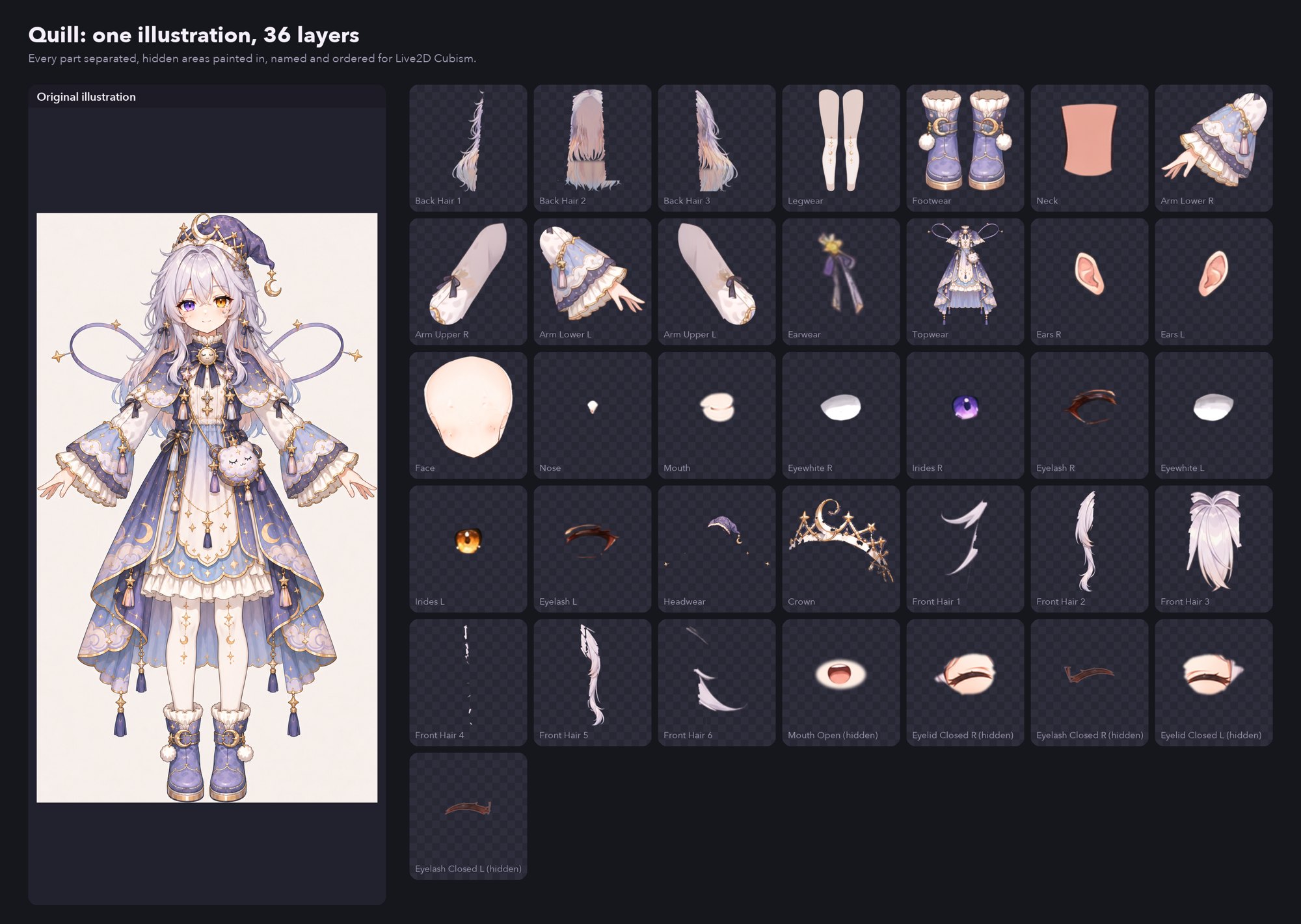
One character illustration in, a layered PSD ready for Live2D rigging out. LayerLoom splits a character into the dozens of separate pieces a rig needs, repaints what each piece was hiding, cuts the hair into locks for physics, and generates a blink and an open mouth.
Why
Rigging starts with hours of cutting things apart
A Live2D model moves pieces of a flat illustration: each lock of hair, each eyelid, the mouth, the arms. Before rigging can start, the artwork has to be split into those pieces, and everything one piece covers has to be painted in, or a hole opens the moment something moves. That's usually hours to days of an artist's time per character. I needed it for Quill and Boo, the AI characters in Goose World, so I built a pipeline that does the cutting and an editor for the hand repair after it.
The pipeline
From one image to a layered PSD
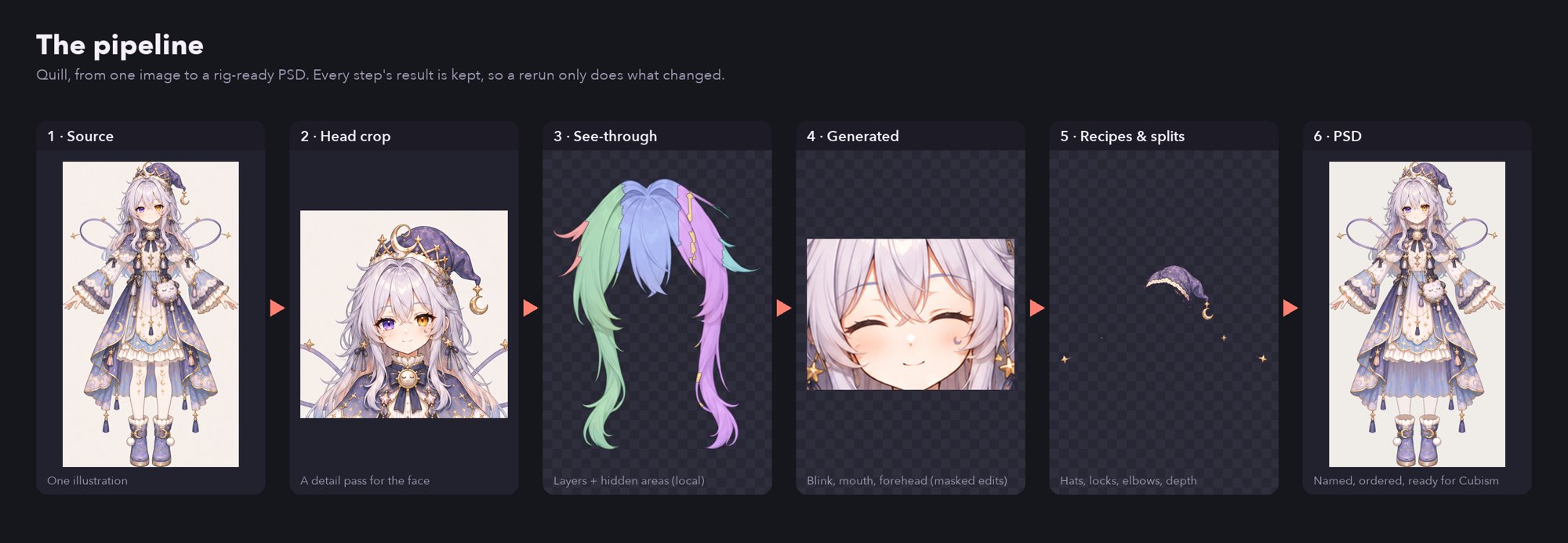
- Decompose, twice. A local layer-decomposition model (See-through, in ComfyUI) separates the whole character into body parts, then runs again on a square crop of the head. On a full-body pass the eyes are about 30 pixels wide; the head pass gives 70 or more. Both are merged onto one canvas, the head pass winning inside its crop with a feathered edge.
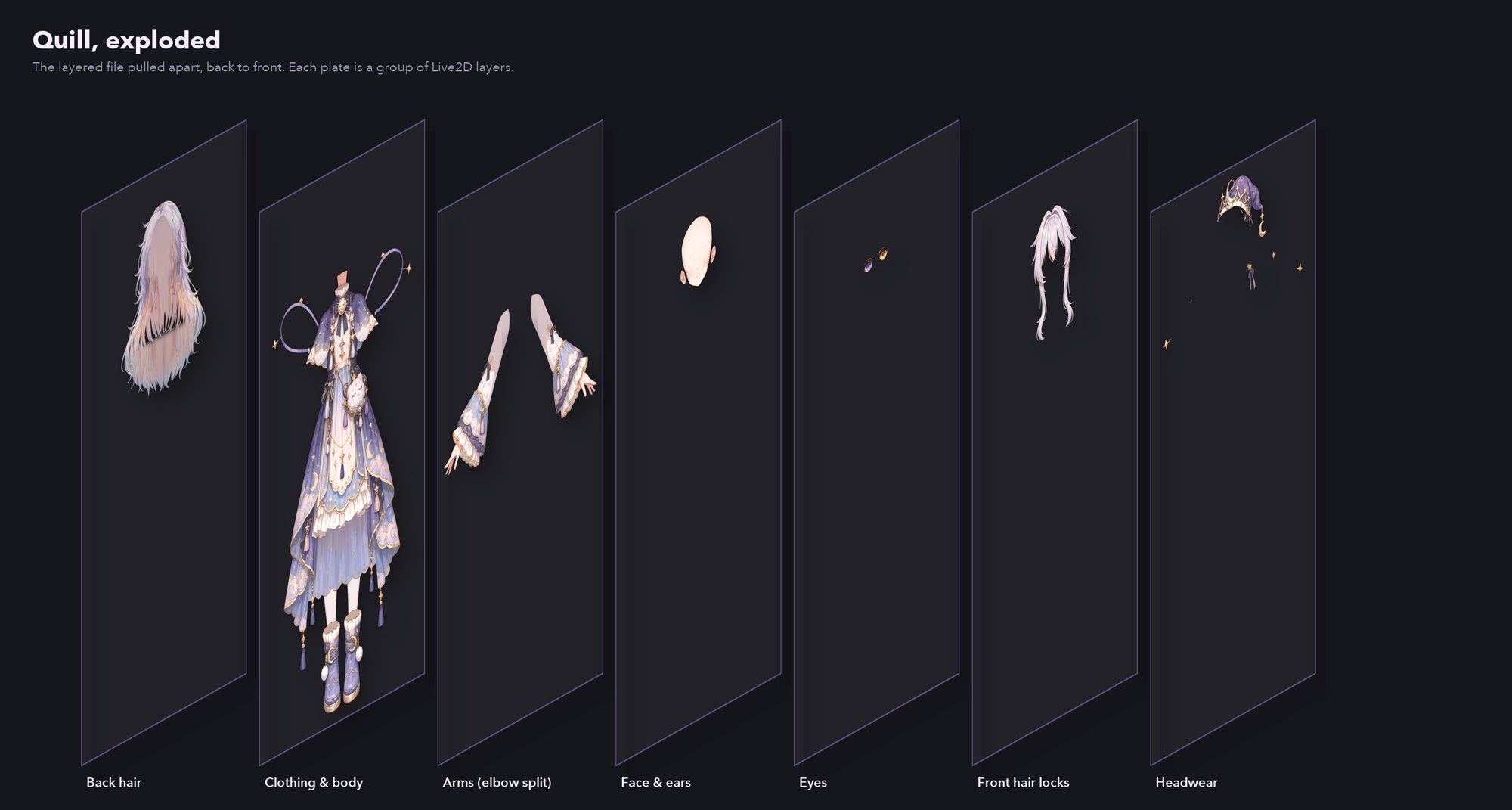
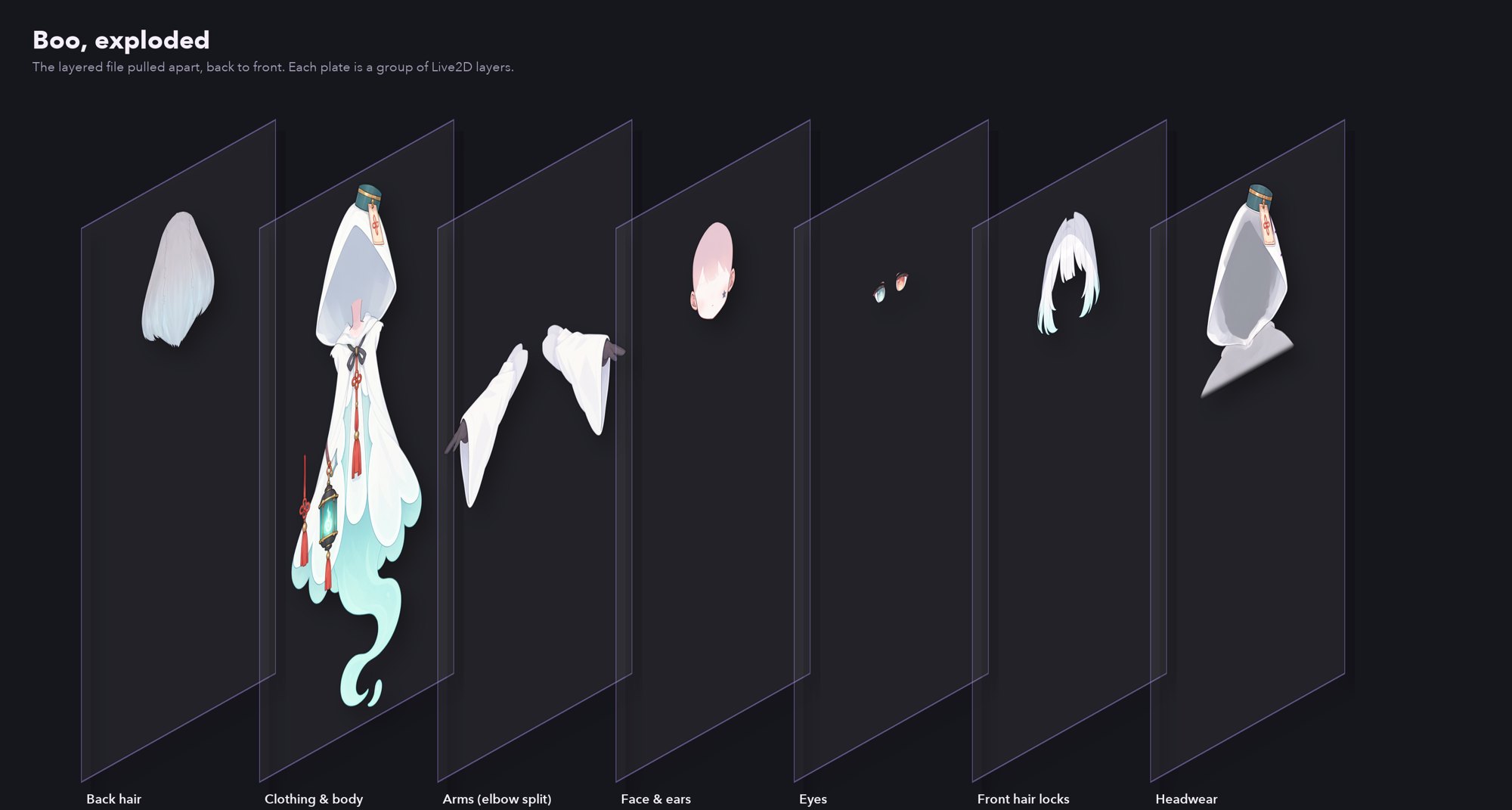
- Depth-aware layering. Where a piece is nearer than a layer drawn over it, like a hood's rim or the neck inside a collar, those pixels move to a
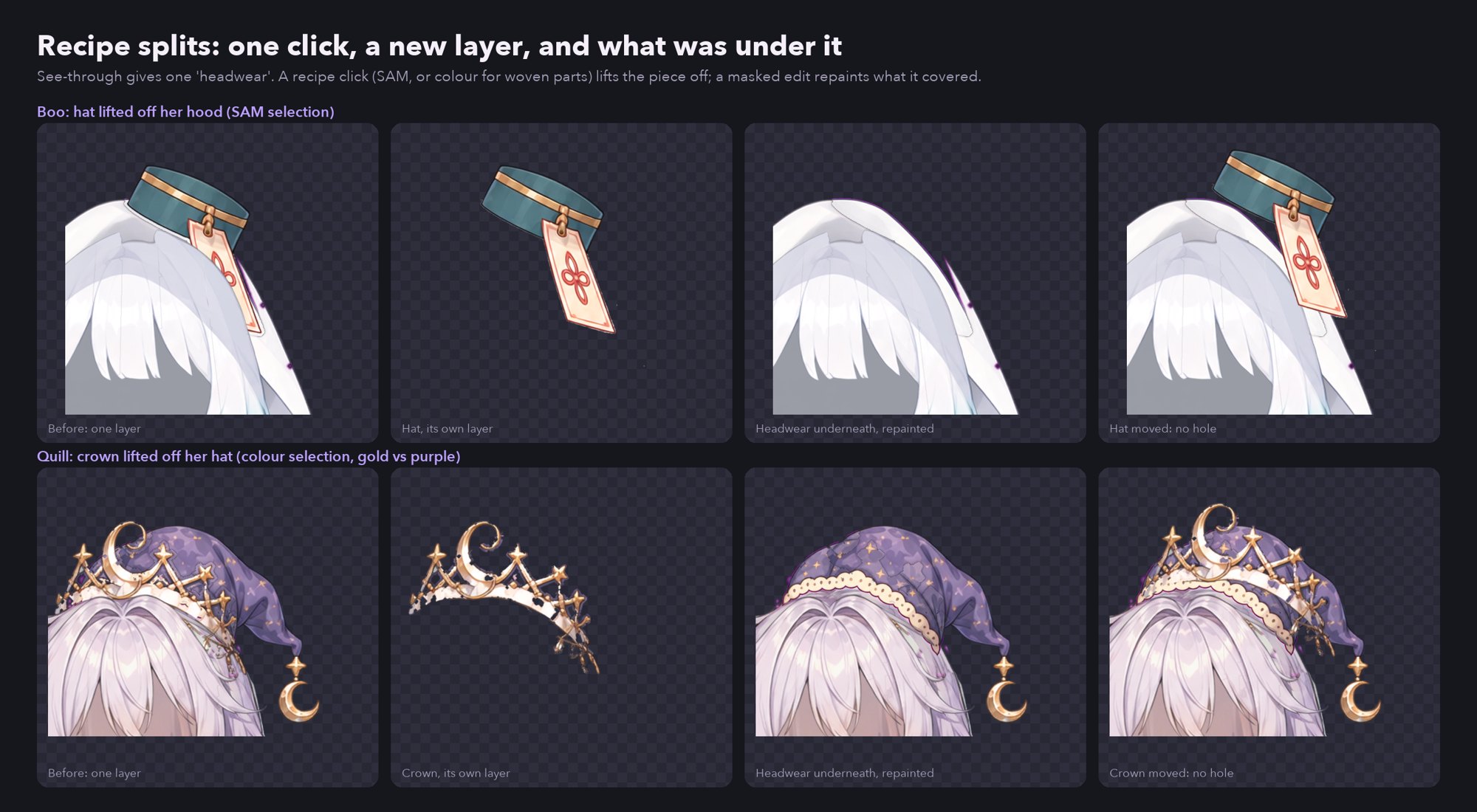
Frontlayer above it, so the draw order matches what's in front. - Recipe splits. The model makes one "headwear" layer, so a hat and a hood come out as one. A small recipe file adds a click or two on each extra thing; SAM 2 selects it, it moves to its own layer, and a masked image edit redraws what it was covering.
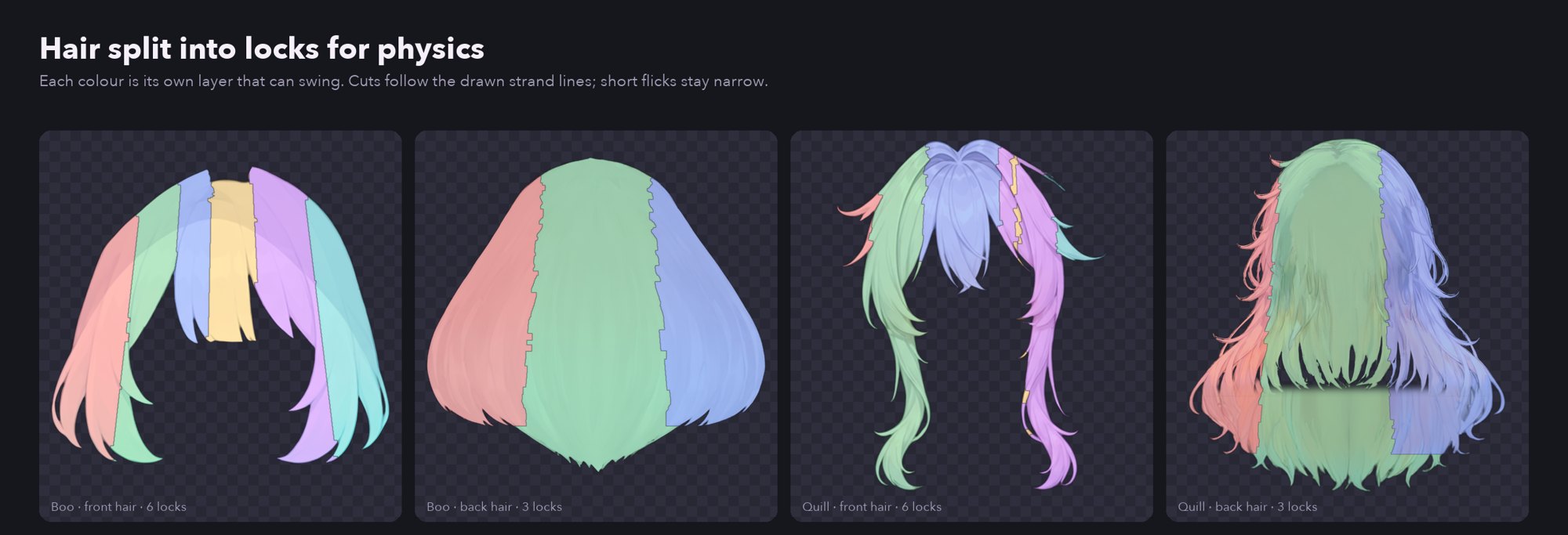
- Hair into locks. Front hair splits into up to six locks and back hair into three curtains for physics. Cuts start from the hair's bottom edge, keep short flicks narrow, and snap to the drawn ink lines so no cut crosses a stroke.
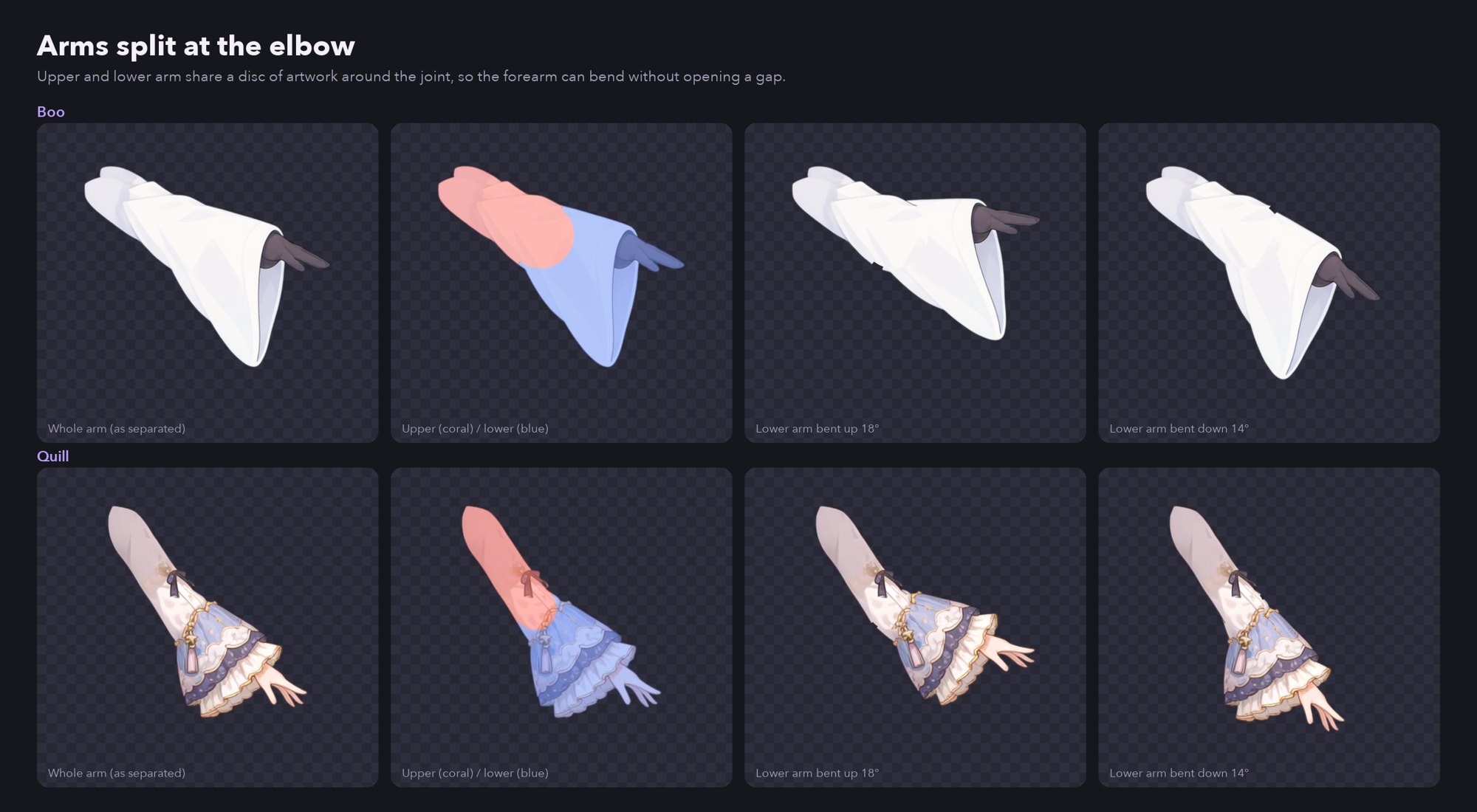
- Arms split at the elbow. Each arm is cut across its long axis, and both halves keep a disc of arm around the joint, so bending the elbow never opens a gap.
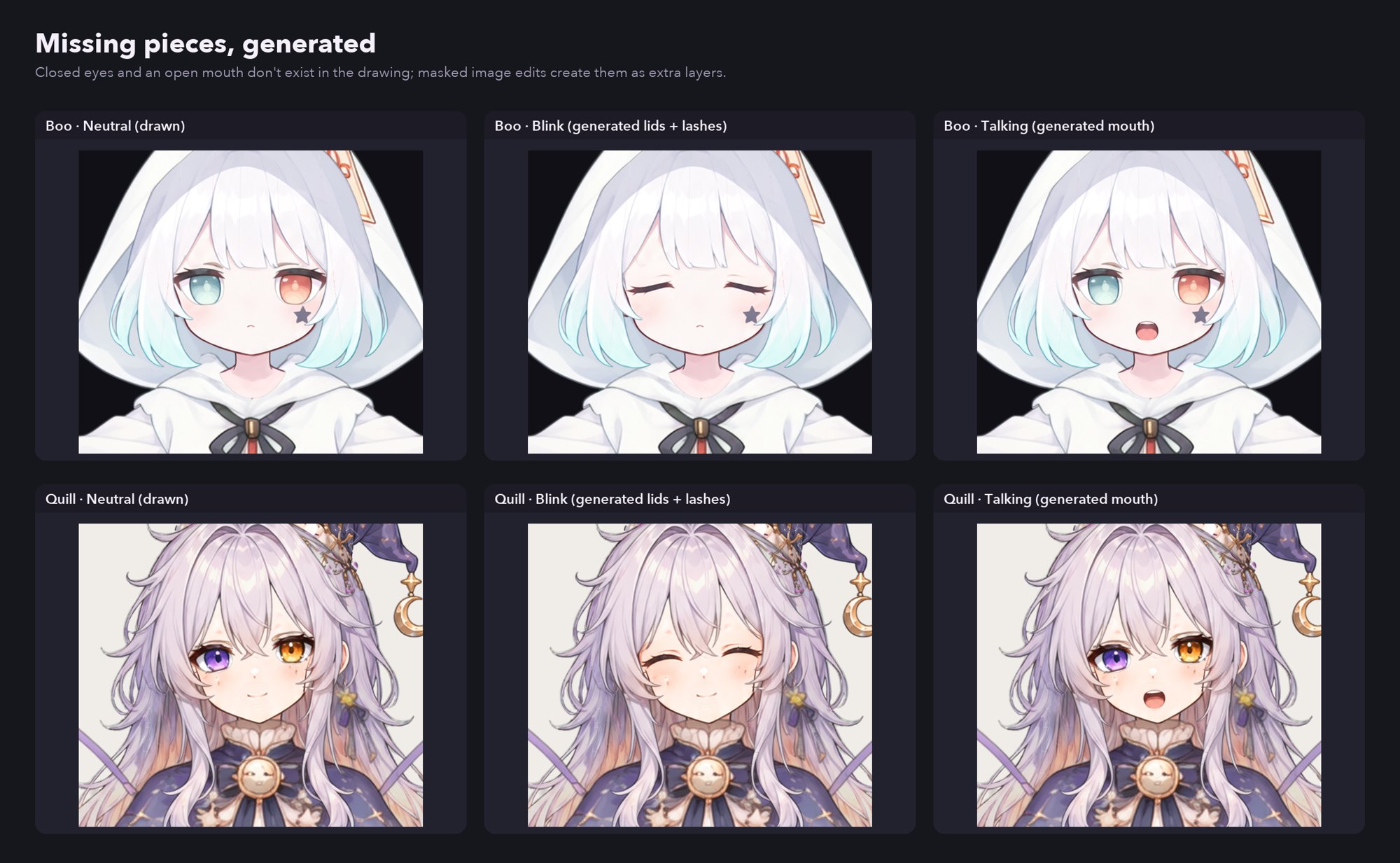
- Expressions. Masked edits close both eyes (split into a closed lash line and a lid patch the shape of the open eye) and open the mouth. They're saved as hidden layers for the rig's EyeOpen and MouthOpenY parameters.
What I learned
Details that decided whether it worked
Ask the model to take the thing off
The first fills showed the image model a layer full of thing-shaped holes and asked it to fill them; it drew pieces of the thing back in. Shown the layer with the thing still on and asked to remove it, it rebuilds what was underneath cleanly.
Some parts need colour, not shape
Quill's gold crown is woven through her purple hat, and SAM's shape-based selection takes both. For woven parts, a recipe can select by colour instead: click each distinct colour on the crown and on everything around it, and each pixel goes with the closest click. Split off the thing in front (the crown), and the fill rebuilds the whole hat underneath.
Never pay twice
Every step keeps its result, so a rerun only does what's missing, and changing a recipe reruns only the recipe step and what follows it. Paid edits are never re-sent unless their step is redone, and each one's usage is logged.
Check the PSD where it will be used
A real closed-eye reference revealed that the PSD writer stored layer records in reverse order, even though its own preview looked right. The fix was confirmed both by recomposing the layers independently and by importing the file into Cubism 5.3.
The studio
An editor for the hand repair
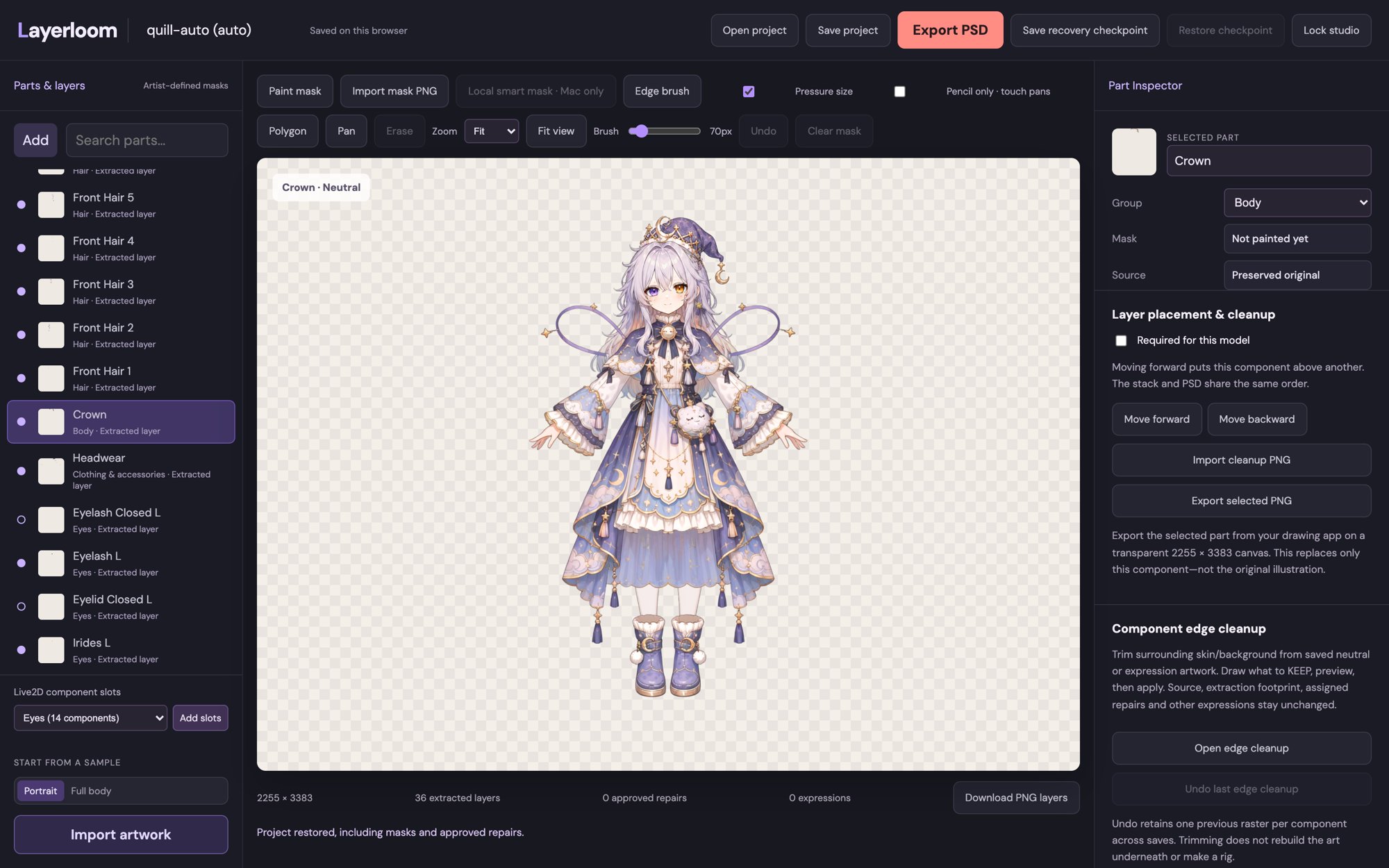
The pipeline's output opens as a LayerLoom project in a browser studio built for the cleanup a rig needs:
- Movement preview: nudge a piece left and right to expose the holes it would open, then turn those holes into a repair mask in one click.
- Clone underpainting: paint the art behind a moving piece from pixels nearby.
- Edge cleanup: move stray pixels between components without losing any.
- Keyform reference planner: map each variant to the Cubism parameter value it belongs at, then export reference packages for rigging.
Selecting and checking never spend credits; generation is always a separate, reviewed step.
Next
What's left
LayerLoom produces the layers, not the rig: meshes and keyforms are still authored in Cubism by hand. Next on the pipeline are more mouth shapes (a smile and the vowels), hands split at the wrist, and the sheer skirt over Quill's legs.